Top 10 Antivirus Programs of 2025 Ranked: Why Windows Defender Beat Them All
Are free antivirus programs protecting your PC or just selling your data? We put the 10 most popular security suites—including Avast, Kaspersky, and Bitdefender—to the ultimate test against real-world malware and phishing threats. The results reveal a shocking truth: most "free" antivirus software is actually bloatware, and the best protection is likely the one you already have installed.

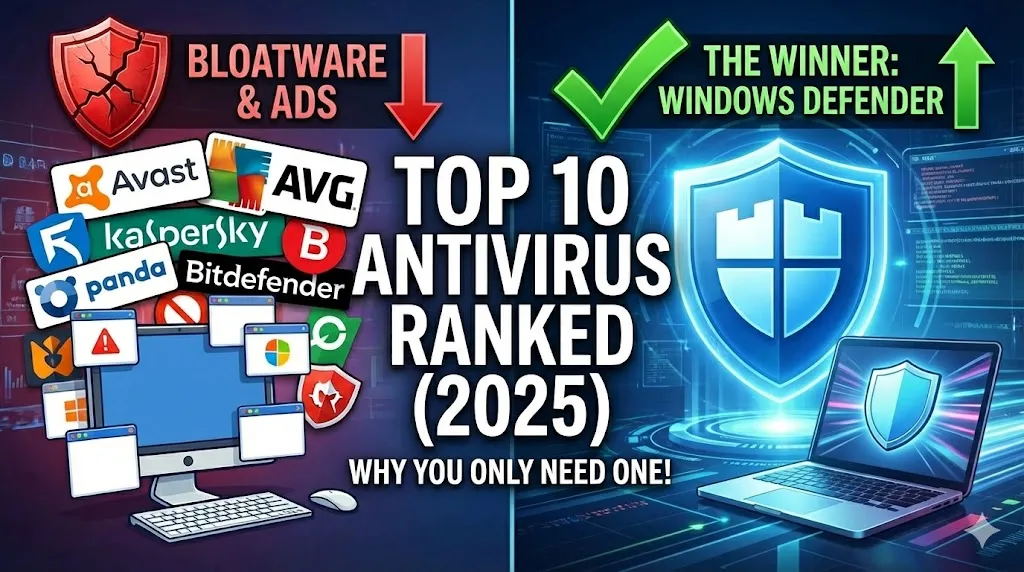
The Top 10 Antivirus Programs of 2025 Ranked: From Bloatware to Best
Meta Description: We tested the 10 most popular antivirus programs against real-world malware, phishing, and ransomware. Here is our definitive countdown from the worst bloatware to the only security suite you actually need.
In the modern digital landscape, the question isn't just "Does this antivirus detect viruses?" It is also "Does this antivirus respect my privacy?"
Many free antivirus solutions have evolved into "adware" themselves—selling user data, mining crypto, or installing unwanted browsers. To find the truth, we subjected the 10 most popular antivirus suites to a gauntlet of tests: manual malware execution, compressed archive scanning, drive-by downloads, and phishing simulations.
Here is the definitive ranking of the top 10 antivirus programs, counting down from the worst to the absolute best.
10. Adaware Antivirus
The Verdict: Failed to protect.
Once a household name in anti-spyware, Adaware has fallen significantly. In our practical testing, it was the only program that completely failed the most basic test: manual malware execution. Even with protection enabled, the software allowed a Trojan to be downloaded and launched without significant intervention. While it uses the Bitdefender engine in the background, the implementation here is flawed. If a security program cannot stop a user from accidentally opening a virus, it serves no purpose.
Pros: Clean interface.
Cons: Failed actual malware blocking tests; lacks effective real-time intervention.
9. 360 Total Security
The Verdict: An advertising platform disguised as security.
360 Total Security (by Qihoo 360) offers a masterclass in bloatware. During installation, the software attempts to install multiple unnecessary programs, including two different web browsers (Opera and a custom "Extreme Browser"), a VPN, and Adobe Acrobat. It feels less like a security tool and more like a way to monetize your desktop. While it utilizes multiple engines (including Bitdefender’s), the sheer amount of junk installed on your PC makes it a liability rather than an asset.
Pros: Uses multiple scanning engines.
Cons: Aggressive bloatware; installs unwanted browsers; intrusive ads.
8. ZoneAlarm Free Antivirus
The Verdict: Uses fear to sell subscriptions.
ZoneAlarm is famous for its firewall, but as a holistic antivirus, it relies on outdated marketing tactics. The software is known for using "scare tactics," such as warning users about a "Global Virus" in the corner of the screen to panic them into buying the paid version. Furthermore, the installation process is cumbersome, requiring separate installations for the antivirus and the firewall, clogging up your system tray.
Pros: Decent firewall capabilities.
Cons: Panic-inducing marketing; clunky installation; historically accused of data collection even when disabled.
7. Panda Free Antivirus
The Verdict: High risk of data trading.
Panda has a checkered past, including a notorious update that once identified vital Windows system files as viruses, bricking user computers. In 2025, the concern is privacy. The software is aggressive about collecting user data and often installs unwanted extras (like the Opera browser) without clear consent. While it offers cloud-based scanning, the trade-off involves handing over your personal usage data to the company.
Pros: Lightweight cloud scanning.
Cons: History of critical errors; aggressive data collection; installs unwanted software.
6. Avira Free Security
The Verdict: Good engine, ruined by crypto-mining history.
Avira was once the king of free antivirus. However, after being acquired by Gen Digital (the conglomerate that owns Norton, Avast, and AVG), it has lost its edge. In recent years, Avira introduced features to "mine crypto" on user devices, taking a cut of the earnings. While the detection rates are decent, the heavy load of advertisements and the push to monetize your system resources make it hard to recommend.
Pros: Solid detection rates.
Cons: Bloatware; history of bundling crypto-miners; owned by a data-broker conglomerate.
5. AVG Antivirus Free
The Verdict: Identical to Avast, but with a different skin.
AVG is functionally identical to Avast (ranked next), as they share the same owner, code base, and virus definitions. It performs well in detecting phishing sites and stopping malware. However, it suffers from the same ethical issues as its parent company regarding data privacy. It constantly nags the user to upgrade and installs unnecessary browser extensions if you aren't paying attention.
Pros: Good phishing protection; familiar interface.
Cons: Data privacy concerns; distinct lack of originality (clone of Avast).
4. Avast Free Antivirus
The Verdict: Excellent protection, terrible privacy.
Strictly speaking of security, Avast is very effective. In our tests, it blocked compressed malware archives and phishing pages effectively. However, Avast cannot be fully trusted. In 2024, the company was fined $16.5 million for selling user browsing data to third parties—the very data they promised to protect. The software also installs a "Secure Browser" that acts as data-harvesting tool. It protects your PC from viruses, but who protects your privacy from Avast?
Pros: High detection scores; great phishing protection.
Cons: Proven history of selling user data; annoyingly persistent upsell pop-ups.
3. Kaspersky Free
The Verdict: A powerful engine that hides its free version.
Kaspersky consistently scores high in lab tests and performed excellently in our cloud-based lookup test, blocking threats immediately. However, the user experience is hostile. Kaspersky actively hides the download link for its free version, forcing users to navigate a maze of "Buy Now" buttons. Once installed, it requires an account login to function. While the security is top-tier, the company’s desperation to force you into a paid subscription is off-putting.
Pros: excellent malware detection; low system impact.
Cons: Difficult to find the free version; forces account creation; geopolitical concerns for some users.
2. Bitdefender Antivirus Free
The Verdict: Great tech, throttled by a VPN upsell.
Bitdefender arguably has the best detection engine on the market. It stopped every threat in our test, including complex compressed archives. However, the free version has become a vehicle to sell you a VPN. It installs a VPN service that you didn't ask for, then limits its usage to annoy you into paying. Additionally, it forces you to create a Bitdefender account just to use the basic antivirus features. It is a great protector, but a needy application.
Pros: Top-tier malware detection engine; automated scanning.
Cons: Installs a limited VPN to upsell you; mandatory account creation; heavy background processes.
1. Windows Defender (Microsoft Defender)
The Verdict: The undisputed champion for the average user.
After testing every major competitor, the best antivirus is the one already built into your operating system.
Windows Defender has evolved from a basic tool into a legitimate enterprise-grade security suite. In our testing, it matched the detection rates of Bitdefender and Kaspersky, effectively stopping manual downloads, JAR files, and Trojans.
Why it is #1:
Zero Bloatware: It does not install toolbars, VPNs, or browsers.
Zero Ads: It never asks you to upgrade to a "Pro" version.
Privacy: It is integrated into the Windows ecosystem without selling your browsing history to third-party advertisers.
Performance: Independent labs like AV-TEST consistently award it top scores (6/6) for protection and performance.
For 99% of home users, gamers, and professionals, Windows Defender combined with common sense is the most effective, least intrusive security solution available today.
Summary: Which should you choose?
If you are looking for a "set it and forget it" solution that won't slow down your PC or sell your data, stick with Windows Defender. The era of needing third-party free antivirus software is officially over.



Comments
0 Comments
Join the conversation