Top 9 AI Productivity Apps in 2026 to Boost Focus and Efficiency
Discover 9 powerful productivity apps in 2025 that are transforming how we work. From AI email assistants and smart browsers to voice-powered note-taking and focus timers, these tools help you save time, stay organized, and boost efficiency like never before.

9 New Productivity Apps I’m Obsessed With in 2026 (Boost Your Focus & Workflow)
We’re halfway through 2025, and the productivity app space has evolved fast. AI is no longer just a bonus feature — it’s deeply integrated into how we write emails, browse the web, take notes, and manage time.
If you’re looking for the best productivity apps in 2025, here are 9 powerful tools that can seriously upgrade your workflow — whether you're a student, entrepreneur, creator, or remote worker.
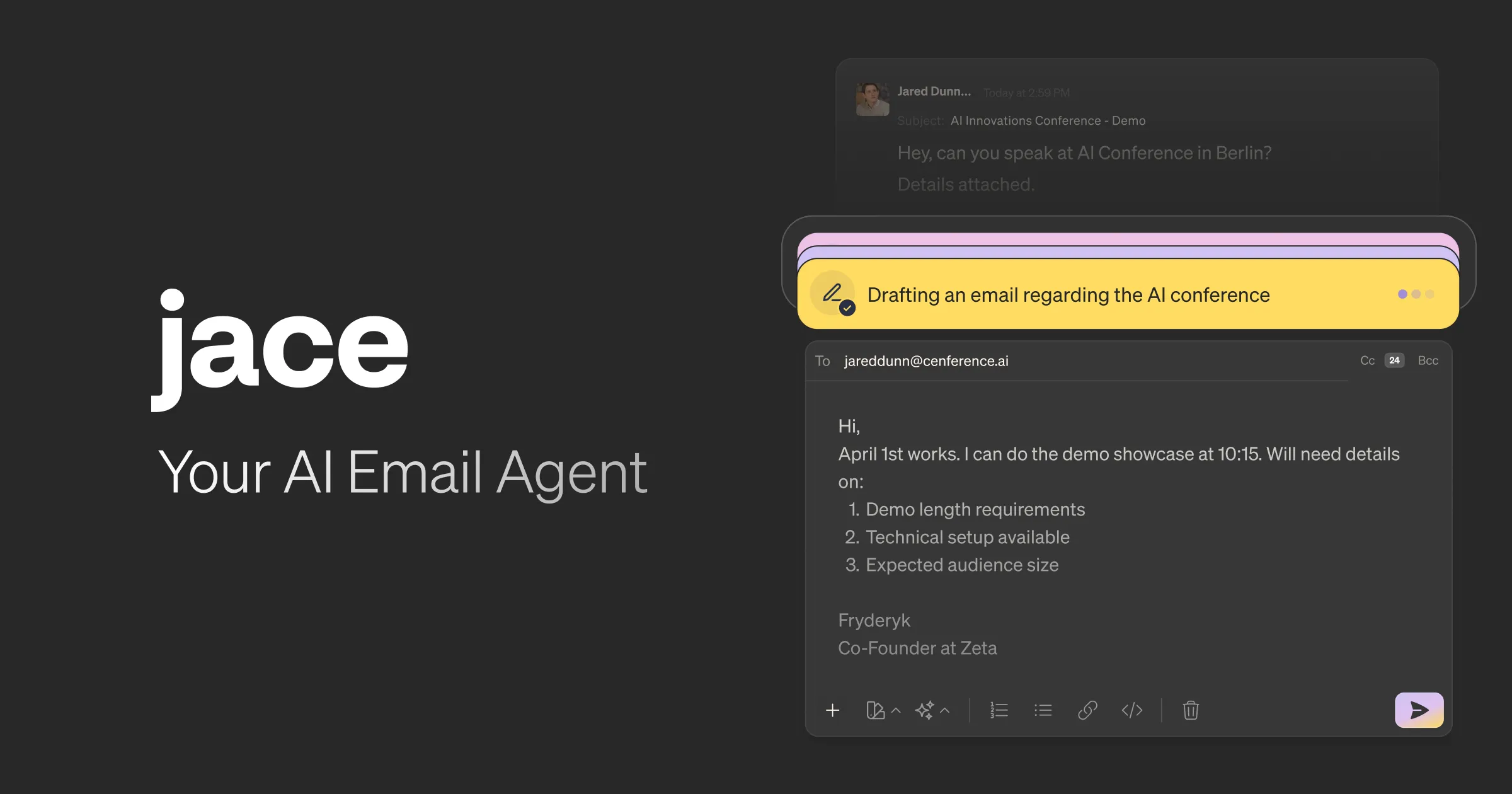
1) Jace AI – Your 24/7 Email Assistant
If email eats up your time, Jace AI might change your life.
This AI-powered assistant:
Drafts replies in your writing style
Reads attachments (PDFs, contracts, spreadsheets)
Understands context from Slack & Notion
Sorts and labels emails automatically
Provides daily inbox summaries
Instead of manually reviewing every email and attachment, Jace analyzes everything for you and prepares smart drafts before you even open your inbox.
Best for: Busy professionals handling multiple projects or clients.
→ AI email assistant 2025, Gmail productivity tools, automated email drafting
2) Scouts – AI That Monitors the Web for You
Tired of checking prices or announcements manually?
Scouts works like a personal AI agent that:
Tracks price drops (games, camera gear, tech)
Monitors concert announcements
Alerts you about hard-to-book restaurant reservations
Sends notifications when conditions are met
Set it once — and it works silently in the background.
Best for: Smart shoppers and opportunity hunters.
→ price tracking app 2025, AI monitoring tools, web alert apps
3) Dia – The AI Browser Everyone Is Talking About
Dia might be the most impressive AI browser released recently.
What makes it different?
Understands your current tab and background tabs
Summarizes YouTube videos instantly
Drafts context-aware replies on social media
Connects multiple sources into one cohesive summary
Includes “Skills” for repeated tasks (Twitter threads, competitor analysis, action extraction)
It feels like having ChatGPT built directly into your browser — but smarter and context-aware.
Best for: Researchers, content creators, students.

→ AI browser 2025, smart web browser with AI, AI research tools
4) Willow – Dictate Instead of Typing
If typing slows you down, Willow is a game-changer.
You simply speak — and it turns your voice into:
Clean, well-written text
Grammar-corrected sentences
Structured content
Especially useful for non-native English speakers who want polished writing without mistakes.
Best for: Writers, bloggers, busy thinkers.

→ voice to text app 2025, AI dictation tool, grammar correction app
5) Sublime – Pinterest for Ideas & Knowledge
Think of Sublime as Pinterest — but for quotes, ideas, and highlights.
You can:
Save interesting quotes with one click
Discover related ideas from other users
Connect concepts through AI
Access relevant notes while writing
It creates a powerful “serendipity effect” where great ideas find you.
Best for: Readers, writers, knowledge collectors.
→ idea management app, reading highlights organizer, knowledge productivity tools
6) Raycast Mobile – Productivity Power on Your Phone
If you use Raycast on Mac, the mobile version is a huge upgrade.
Features include:
Snippets for repeated text (emails, hashtags)
AI commands (summarize, explain, rewrite)
AI chat with multiple models
Sync between mobile & desktop
Perfect for quick productivity boosts while on the go.
Best for: Power users and multitaskers.

→ Raycast mobile review, productivity shortcuts app, AI workflow tool
7) Bluebird – Focus Timer Across All Apple Devices
Based on Parkinson’s Law (work expands to fill time available), timers are incredibly powerful.
Bluebird:
Syncs across Apple Watch, iPhone, and Mac
Lets you start focus sessions anywhere
Keeps visible countdowns without breaking concentration
Use it for:
Deep work
Studying
Language learning
Photo editing
Reading
Small time commitments = big productivity gains.
Best for: People who struggle with distraction.

→ focus timer app 2025, Pomodoro app Apple Watch, productivity timer
8) Craft – A Beautiful Alternative to Notion
If Notion feels heavy or expensive, Craft is a fantastic alternative.
Why people love it:
Faster and simpler
Beautiful design out of the box
Great for client work
Whiteboards for mood boards
Easy document sharing
Clients are often impressed by its polished look.
Best for: Creatives, freelancers, client-based professionals.

→ Craft vs Notion, best Notion alternative 2025, client collaboration tool
9) IdeaShell – Voice-Based Note Taking with AI
Instead of typing notes, IdeaShell starts with your voice.
It:
Cleans up filler words
Organizes messy thoughts
Adds tags automatically
Converts notes into blog outlines, task lists, or research summaries
It’s one of the most well-designed voice-to-note apps available this year.
Best for: Thinkers who brainstorm better out loud.
→ AI voice notes app, smart note taking 2025, speech to structured notes

Final Thoughts: The Future of Productivity Is AI-Integrated
The biggest trend in 2025 productivity apps?
Context-aware AI
Voice-first workflows
Background automation
Cross-device syncing
Instead of working harder, these tools help you work smarter — by removing friction from everyday tasks like emailing, researching, writing, and focusing.
If you implement even 2–3 of these apps into your workflow, you’ll likely notice a serious boost in efficiency.



Comments
0 Comments
Join the conversation